




Skip to the main content.

12 min read

Why Most Warehouse Wireless Network Design Plans Fail Under Pressure

Warehouse wireless design usually fails for a simple reason: the network is planned as if the building were static, while the work inside it is anything but. Inventory shifts. Rack density changes. Devices move constantly through long aisles, loading areas, staging zones, and freezer thresholds that all shape RF behavior a little differently. On paper, the design can look sound. Once warehouse operations start scaling up, gaps and weaknesses tend to surface quickly.

That pressure is only increasing as warehouses add more mobile, automated, and sensor-driven workflows. According to the 2025 MHI Annual Industry Report, 72% of supply chain leaders expect wearable and mobile technology to be in use in their operations within five years, underscoring how quickly warehouse networks are being asked to support a denser, more device-heavy operating environment.

This guide covers:

  • How to map warehouse workflows into wireless requirements

  • Where access point and antenna decisions usually fail

  • What validation proves design quality before full deployment

P.S. Turn-Key Technologies designs and installs wireless networks for environments where mobility, coverage, and validation have to hold up under real operating conditions. Request a site survey to map warehouse RF conditions early and avoid costly redesign decisions before deployment begins.

TL;DR

Step

What To Do And Why It Matters

Define device and workflow requirements first

List barcode scanners, handheld scanners, tablets, laptops, forklifts, and IoT devices by zone so the network design reflects actual traffic, roaming, and uptime needs.

Map RF obstacles in the warehouse environment

Document rack height, aisle width, pallet storage, freezer areas, loading docks, ceiling height, and reflective surfaces because each one changes signal coverage and interference patterns.

Choose AP placement around work areas, not just floor space

Mounting APs for aisle-level performance often matters more than broad ceiling coverage, especially where scanners and mobility platforms depend on stable signal strength.

Match antennas to the physical layout

Directional antennas can improve aisle coverage and reduce spillover, while the wrong antenna pattern can create overlap, weak roam behavior, and co-channel interference.

Design for roaming and band behavior

5 GHz and 2.4 GHz should be tuned around client devices, roam capability, and signal-to-noise targets so scanners do not cling to distant APs or drop sessions mid-task.

Validate onsite before full deployment

Use predictive models and onsite survey validation to confirm SNR, signal strength, roam performance, and interference under real operating conditions.

Plan for automation and future changes

Leave switch, PoE, cable, and wireless infrastructure headroom so new equipment, layout changes, and automation projects do not force a redesign too soon.


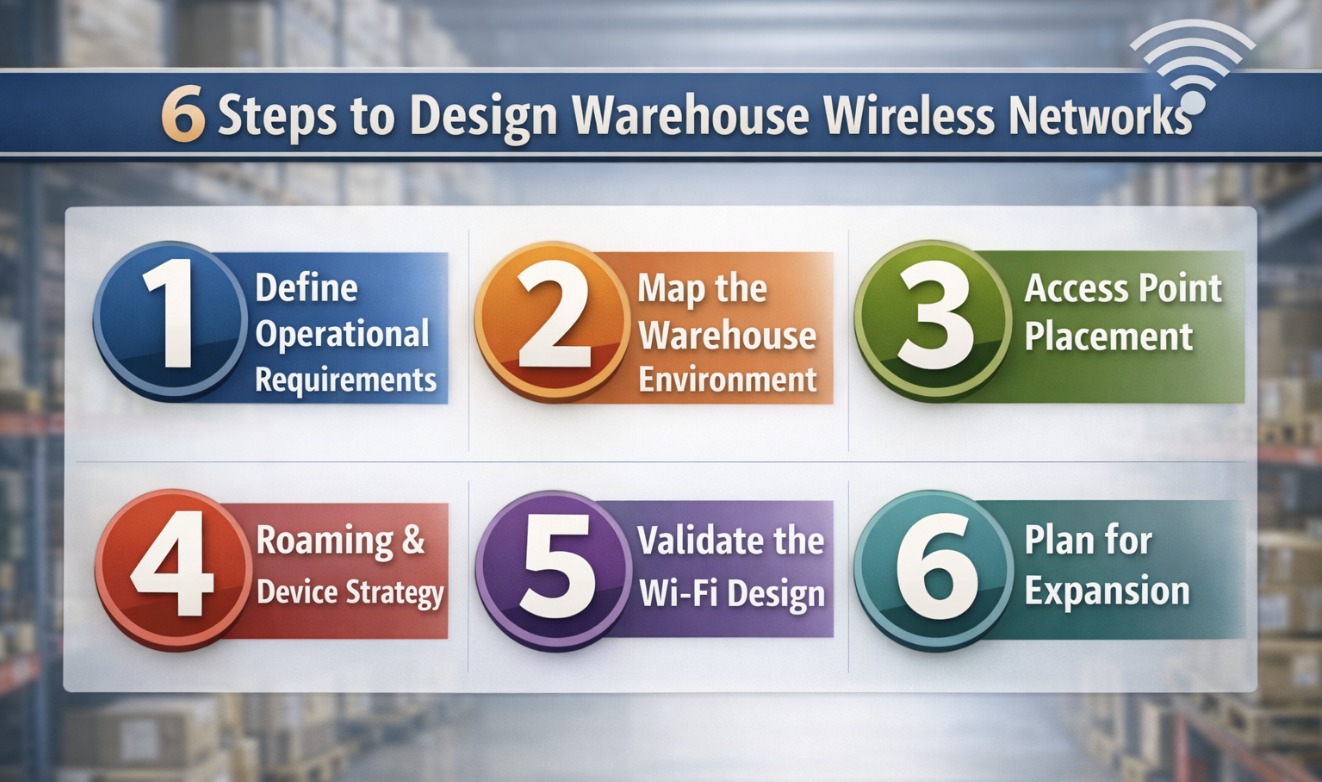
6 Steps to Design Warehouse Wireless Networks

Designing a warehouse wi-fi network is less about filling the building with signal than understanding how wireless behaves once the building is in use. The strongest designs account for movement, materials, device behavior, and installation constraints together. Working through those layers in the right order makes the deployment more predictable and the troubleshooting burden much lower later on.


Define Operational Requirements Before You Design Coverage

Early wireless plans often start with coverage, but warehouses rarely cooperate with that sequence. Before you decide where access points belong, you should know what the network is expected to carry, where those devices will move, and how sensitive each workflow is to delay or interruption.

A handheld scanner sending short bursts of traffic every few seconds places different demands on the wireless network than a tablet used for inventory lookups, a laptop handling administrative work, or a growing set of IoT devices tied into automation or tracking. Even within the same warehouse, those requirements can vary sharply from one zone to the next.

A more useful starting point is a zone-by-zone inventory of work. Separate receiving, storage aisles, staging, loading, dock areas, freezer rooms, offices, and any outdoor edges that need connectivity. Then document the client devices in each area, the applications they rely on, and how much disruption the workflow can absorb. A brief delay in a management office may go unnoticed. The same delay in a picking path or scan-heavy process tends to show up immediately in throughput and task flow.

That exercise also sharpens later design decisions. Once you know which workflows depend on mobility, which devices need consistent roam behavior, and where uptime matters most, choices around antenna type, mounting, and coverage strategy become much easier to justify.

Map The Physical Warehouse Environment

Warehouse wireless design gets more complicated as soon as the layout starts shaping the signal. Racks, pallets, ceiling height, freezer doors, dock openings, and changing inventory density all influence how wireless signals move through the space. A floor plan can tell you where the building is. It says much less about how the building behaves.

A useful layout review goes beyond walls and dimensions. Include aisle direction, rack height, loading and staging areas, freezer sections, indoor-to-outdoor transitions, and any machinery or automation equipment that could introduce interference. Warehouses and logistics facilities often look orderly in drawings, while their RF environment is far less stable once inventory levels, equipment traffic, and seasonal changes enter the picture.

This stage also deserves a closer look at the underlying infrastructure. Existing switch locations, cable routes, PoE budgets, and ceiling or rack access can shape what is realistic long before deployment begins. An AP plan that works nicely in a predictive model may be much harder to install if cable paths are limited, mounting points are exposed to forklift traffic, or environmental conditions call for an enclosure or weatherproof protection near dock areas.

The more accurately you capture the physical environment upfront, the less likely you are to spend the project correcting assumptions that should have been tested earlier.

Choose Access Point Placement And Antenna Strategy

Access point placement in a warehouse depends as much on geometry as on coverage. Long aisles, tall rack rows, reflective materials, and uneven working heights can make a broad signal footprint look better than it performs. What matters is whether client devices see stable, usable wi-fi where work is actually happening.

Design Decision

What To Verify Before Deployment

What Goes Wrong If You Skip It

Ceiling mounting

Confirm ceiling height, rack shadowing, and whether the signal can reach client devices at the working level without excessive overlap

Coverage may look wide, but scanners in aisles see a weak or inconsistent signal

Rack or aisle-level mounting

Check physical protection, serviceability, cable path, and forklift exposure

APs end up vulnerable to damage, inaccessible for maintenance, or expensive to relocate

Directional antennas

Validate aisle geometry, antenna pattern, and intended signal containment

Signal spills across aisles, interference rises, and roam behavior gets less predictable

Omnidirectional antennas

Confirm the area is open enough to benefit from broad coverage

Dense rack environments produce uneven performance and wasted RF energy

Enclosure or weatherproof protection

Review dock exposure, temperature extremes, moisture, and dust conditions

AP reliability drops in loading or outdoor-adjacent zones

PoE and switch placement

Validate uplink paths, switch budgets, and cable distances before finalizing locations

The best AP plan becomes impractical because power and cable constraints were never resolved


Design For Roaming, Device Behavior, And Band Use

A warehouse wi-fi network can show decent coverage and still feel unreliable once people start moving through it. Roaming is often the dividing line between a design that looks acceptable in reports and one that works during a shift. If scanners hold onto weak APs too long, if overlap is poorly tuned, or if client devices behave unpredictably across bands, the network may appear healthy while day-to-day use tells a different story.

The device mix has a lot to do with that outcome. Barcode scanners, handheld scanners, tablets, laptops, and IoT devices do not all support the same wi-fi standards or behave the same way when signal quality changes. Some older devices still depend heavily on 2.4 GHz, while newer client devices often perform better on 5 GHz. A sound design reflects that mix instead of assuming every device will take advantage of the latest wi-fi features in the same way.

Signal strength alone will not tell you enough. Signal-to-noise and overall SNR shape whether a device can maintain stable connectivity as it moves, especially in spaces where reflective materials, neighboring APs, and environmental interference crowd the RF environment. Too little overlap makes roaming brittle. Too much overlap can make the environment noisy and less predictable.

Band planning should be treated the same way. In many warehouse deployments, 5GHz is the stronger choice for control and capacity. Even so, 2.4 GHz may still have a role if legacy scanners or specific IoT devices remain part of the environment. The better question is not which band is best in general. It is the band strategy that best fits the warehouse, the devices, and the mobility pattern you actually need to support.

Validate The Warehouse Wi-Fi Design Before Full Deployment

Predictive models are useful, especially early in the design process, but warehouse wireless design should not stop there. The environment has too many variables, and too many of them change how the network behaves once racks are full, devices are moving, and operations are underway.

A proper validation pass should test more than broad signal coverage:

  • Signal Strength: Measure working-level coverage where scanners, tablets, forklifts, and laptops actually operate rather than relying only on open-floor readings.

  • Signal-To-Noise Ratio: Check whether the environment supports stable performance in dense aisles, near dock areas, and around equipment that may raise interference.

  • Roaming Performance: Test how client devices move between wireless access points along real travel paths, especially in long aisles and transition zones.

  • Device-Specific Behavior: Validate barcode scanners, handheld scanners, tablets, laptops, and relevant IoT devices separately because performance often varies by device type.

  • Interference Patterns: Identify co-channel overlap, reflective trouble spots, and environmental effects that predictive models did not fully expose.

  • Remediation Inputs: Document the changes needed before rollout, including antenna adjustments, AP placement updates, power changes, or channel tuning.

Plan For Expansion, Automation, And Ongoing Tuning

Few warehouses stay still long enough for a one-time wireless design to remain ideal. Layouts shift, automation is added, new equipment arrives, and the client mix changes over time. A network that feels well-tuned today can start to show strain once more devices, denser storage, or different workflows enter the picture.

It helps to leave room for those changes while the design is still on paper. Review whether switch capacity, PoE headroom, cable pathways, and mounting options can support additional wireless access points later. If freezer zones may expand, outdoor connectivity may be added, or a broader automation platform is already under consideration; those possibilities should influence the design now rather than after the network is already in service.

Post-deployment tuning also deserves a place in the plan. Warehouses create enough environmental change that periodic validation is often necessary to keep the network aligned with how the space is actually operating. A documented baseline, regular review of performance, and a process for retuning the environment can prevent small changes from turning into recurring connectivity problems.

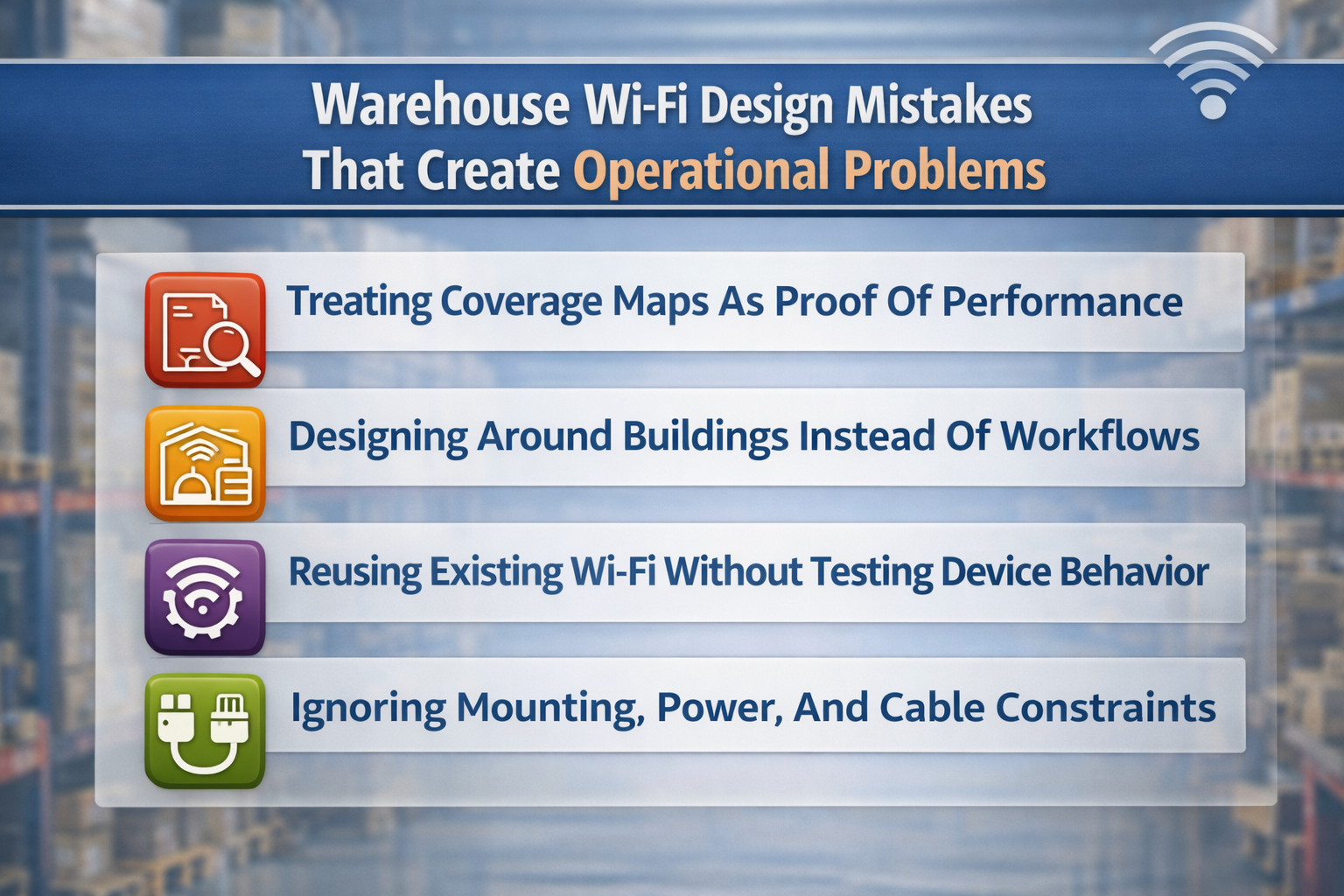
Warehouse Wi-Fi Design Mistakes That Create Operational Problems

Some warehouse wireless problems do not come from unusual edge cases or unexpected technical failures. They come from familiar planning habits that work well enough in simpler environments and fall apart once the building is active. Looking at those mistakes directly can help you spot weak assumptions before they become costly redesigns.

Warehouse Wi-Fi Design Mistakes That Create Operational Problems

Treating Coverage Maps As Proof Of Performance

A coverage map can be reassuring, especially when it shows clean signal distribution across the warehouse. The trouble is that coverage alone says very little about how the wireless network will behave for scanners moving through aisles, tablets operating near dock doors, or devices trying to roam cleanly from one zone to the next.

That gap is where many warehouse deployments disappoint. The predictive model may be technically sound, yet still miss what happens at working height, in dense storage rows, or under the behavior of specific client devices. A stronger design review asks for more than a heatmap. It asks for validation tied to actual device performance, actual movement paths, and actual operating conditions.

Designing Around Buildings Instead Of Workflows

Some designs follow the geometry of the facility more closely than the work being done inside it. That tends to produce a network that looks balanced on paper while missing the zones where connectivity matters most.

Warehouse operations are not evenly distributed. Receiving, staging, picking paths, freezer entries, loading activity, and indoor-to-outdoor transitions all place different demands on the network. If the design treats every area as a generic coverage problem, the warehouse may end up with signals in the right places and performance in the wrong ones.

A better design process starts with movement and task flow, then uses that understanding to decide where stronger coverage, cleaner roaming, or tighter antenna control is most important.

Reusing Existing Wi-Fi Without Testing Device Behavior

An existing wi-fi network can seem like a head start. Access points are already installed, the signal is visible, and basic connectivity may appear acceptable. In warehouse environments, that can be misleading.

Older layouts were often built for a lighter device mix, different rack conditions, or less demanding mobility. Laptops may connect without much trouble, while barcode scanners, handheld scanners, or newer automation systems reveal weaknesses that were not obvious before. Reuse can be the right choice, but only after the environment has been tested against the devices and workflows that matter now.

That usually means validating roam behavior, signal-to-noise, device response in dense aisles, and whether the existing infrastructure can support the current design goals without extensive compromise.

Ignoring Mounting, Power, And Cable Constraints

Wireless design has a way of looking simpler before installation details appear. Once mounting methods, switch locations, cable routes, enclosure needs, and PoE limits enter the picture, an elegant plan can start to bend in unhelpful ways.

Those constraints are not implementation details to solve later. They shape what is realistically deployable and supportable. If they are ignored during design, the project often ends up moving APs away from the best RF locations just to accommodate physical limitations that should have been reviewed from the start.

Read Next: Struggling with Slow Wi-Fi? Follow these Best Practices to Optimize Wi-Fi Performance in High-Density Areas

What A Warehouse Wireless Site Survey Should Produce

A warehouse site survey is valuable when it turns observation into design direction. Without that translation, the output may be technically interesting but not especially useful for deciding where aps belong, how the network should be mounted, or what risks still need to be managed before deployment.

RF Findings And Coverage Assumptions

The survey should explain how the warehouse environment affects signal behavior in practical terms. That includes rack density, aisle layout, freezer conditions, dock transitions, reflective surfaces, and any other conditions likely to alter coverage or increase interference.

What you want is not a loose summary, but a set of assumptions you can design from. Useful findings include expected signal strength by zone, SNR conditions, interference notes, and any places where predictive models and onsite behavior diverged. When the survey connects those findings to design decisions, it becomes much more valuable.

Access Point, Antenna, And Mounting Recommendations

Recommendations should be specific enough to guide the deployment, not just broad enough to sound plausible. That means identifying where access points should go, what antenna type fits each area, how the hardware should be mounted, and what infrastructure dependencies need to be addressed before installation begins.

This is one reason a capable wireless design partner matters. Turn-Key Technologies provides wireless network services that include design, installation, validation, and optimization aligned to the operating environment. In a warehouse, that kind of support helps turn survey findings into a deployment plan that accounts for coverage, mobility, and installation realities together.

Validation Plan And Deployment Risks

A good survey should also show how the design will be tested once deployment begins. That includes what success looks like, which client devices need to be validated, and which zones deserve closer attention before the rollout expands across the full environment.

The strongest survey outputs will flag likely deployment risks as well. Mounting challenges, cable constraints, PoE limitations, and likely interference sources are easier to manage when they are identified early. Once those issues surface mid-project, they tend to slow down decisions and narrow the design options available.

Read Next: The Power of Proactive Network Monitoring: A Smarter Approach for Remote Sites

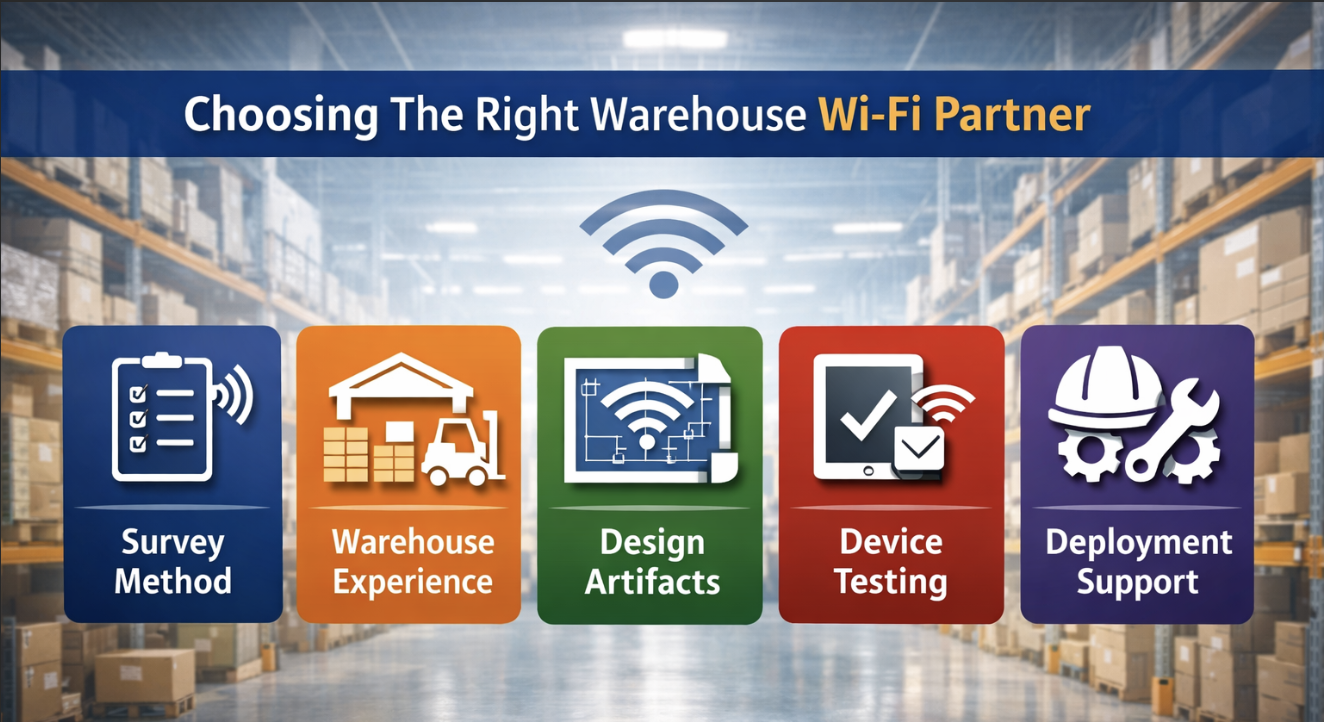
Choosing The Right Warehouse Wi-Fi Partner

The hardware matters, but the design process usually tells you more about the result you will get. In warehouse environments, the difference between a strong partner and an average one often shows up in how thoroughly they connect RF planning, device behavior, and installation reality before the first access point goes live.

  • Survey Method: Ask whether predictive models are paired with onsite survey and validation, and what acceptance criteria will be used to determine whether the design is ready.

  • Warehouse Experience: Request examples from environments with similar rack density, aisle geometry, freezer sections, loading areas, or scanner-heavy mobility patterns.

  • Design Artifacts: Confirm that you will receive AP location plans, antenna recommendations, mounting details, cable dependencies, PoE requirements, and validation findings by zone.

  • Device Testing: Verify that barcode scanners, handheld scanners, tablets, laptops, and relevant IoT devices will be tested rather than treated as assumed compatibility.

  • Deployment Support: Check whether tuning, documentation, and post-deployment review are included so the network can be adjusted without guesswork later.

Build A Warehouse Wi-Fi Design That Holds Up Under Real Conditions

The difference between a warehouse network that feels dependable and one that requires constant explanation usually comes down to how honestly the design reflects the operating environment. Coverage still matters, of course, but it is only one part of a system that has to support movement, device behavior, installation limits, and future change all at once.

  • Prioritize workflows: Design around where scanners move, forklifts travel, and loading activity concentrates rather than treating the warehouse as a uniform RF space.

  • Pressure-test assumptions: Use onsite validation to confirm that the design works for the actual client devices and movement patterns you expect to support.

  • Protect future flexibility: Leave room in your switch, PoE, cable, and mounting plan for automation, new equipment, and layout changes.

That approach gives the design a much better chance of holding up once the warehouse is operating at full pace.

Strong warehouse wireless projects depend on keeping design, validation, and deployment planning aligned from the start. Turn-Key Technologies supports wireless network projects with onsite assessment, design guidance, installation expertise, and post-deployment optimization shaped to the environment. Request a site survey to uncover RF risks sooner, refine the access point strategy, and move into deployment with fewer avoidable surprises.

FAQ

What makes WLAN design a challenge in warehousing?

Warehousing creates a difficult RF environment because the space is full of variables that affect wireless performance. Metal racks, changing pallet density, long aisles, freezers, dock doors, and moving equipment can all alter signal behavior, roaming, and interference. The challenge is not simply extending coverage across the building. It supports reliable connectivity for scanners, forklifts, tablets, and other client devices while the environment is constantly in motion.

How many access points do I need for a warehouse?

There is no dependable formula based only on square footage. The number of access points depends on rack height, aisle design, ceiling height, client density, antenna choice, roaming requirements, and the behavior of the devices in use. A warehouse site survey and predictive design model are usually needed to estimate the right count, and onsite validation confirms whether the plan performs as expected.

What is the best Wi-Fi frequency for a warehouse?

The best frequency depends on the device mix and the operating environment. Many warehouse networks rely heavily on 5 GHz because it offers better capacity and control, but 2.4 GHz may still matter for older scanners or certain IoT devices. A well-designed environment usually uses both bands intentionally, based on device capability, interference conditions, and coverage requirements.

Why do warehouses need a wireless site survey?

Warehouses need a wireless site survey because predictive planning alone cannot capture every condition that shapes performance. A survey shows how racks, inventory, freezer zones, loading areas, and reflective materials affect coverage, interference, and roam behavior. It also provides the evidence needed to refine AP placement, antenna selection, mounting strategy, and deployment planning before the network is rolled out broadly.

How do you improve Wi-Fi coverage in a warehouse?

Improving wi-fi coverage in a warehouse usually requires design adjustments rather than simply adding more access points. Depending on the environment, that may mean changing AP placement, using directional antennas, adjusting mounting height, refining channel planning, or retuning power levels. Device testing matters because a design that appears acceptable in a coverage model may still perform poorly for scanners or other mobility-dependent workflows.

What should a warehouse Wi-Fi survey include?

A useful warehouse wi-fi survey should include RF measurements, zone-based coverage assumptions, interference findings, SNR analysis, AP and antenna recommendations, mounting constraints, cable and PoE dependencies, and a validation plan for deployment. It should also account for the actual client devices in use, especially barcode scanners, handheld scanners, tablets, laptops, and operational IoT endpoints.

5 Reasons Advanced Wayfinding Helps Reduce Stress on New Students

1 min read

5 Reasons Advanced Wayfinding Helps Reduce Stress on New Students

Today’s colleges and universities are challenged to provide more than just an education for matriculated students; they’re expected to deliver an...

Read More
What Enterprises Can Learn from the Apple iPhone Hack

1 min read

What Enterprises Can Learn from the Apple iPhone Hack

Why enterprises should use the recent Apple iPhone hack as a learning opportunity and make changes to ensure they don’t fall victim to a future...

Read More
What You Need To Know About The Speed of 5G Wireless Networks

1 min read

What You Need To Know About The Speed of 5G Wireless Networks

Are you in one of the areas that receives solid, reliable 4G coverage, or do sections of your hometown still consider themselves lucky when 3G is...

Read More