


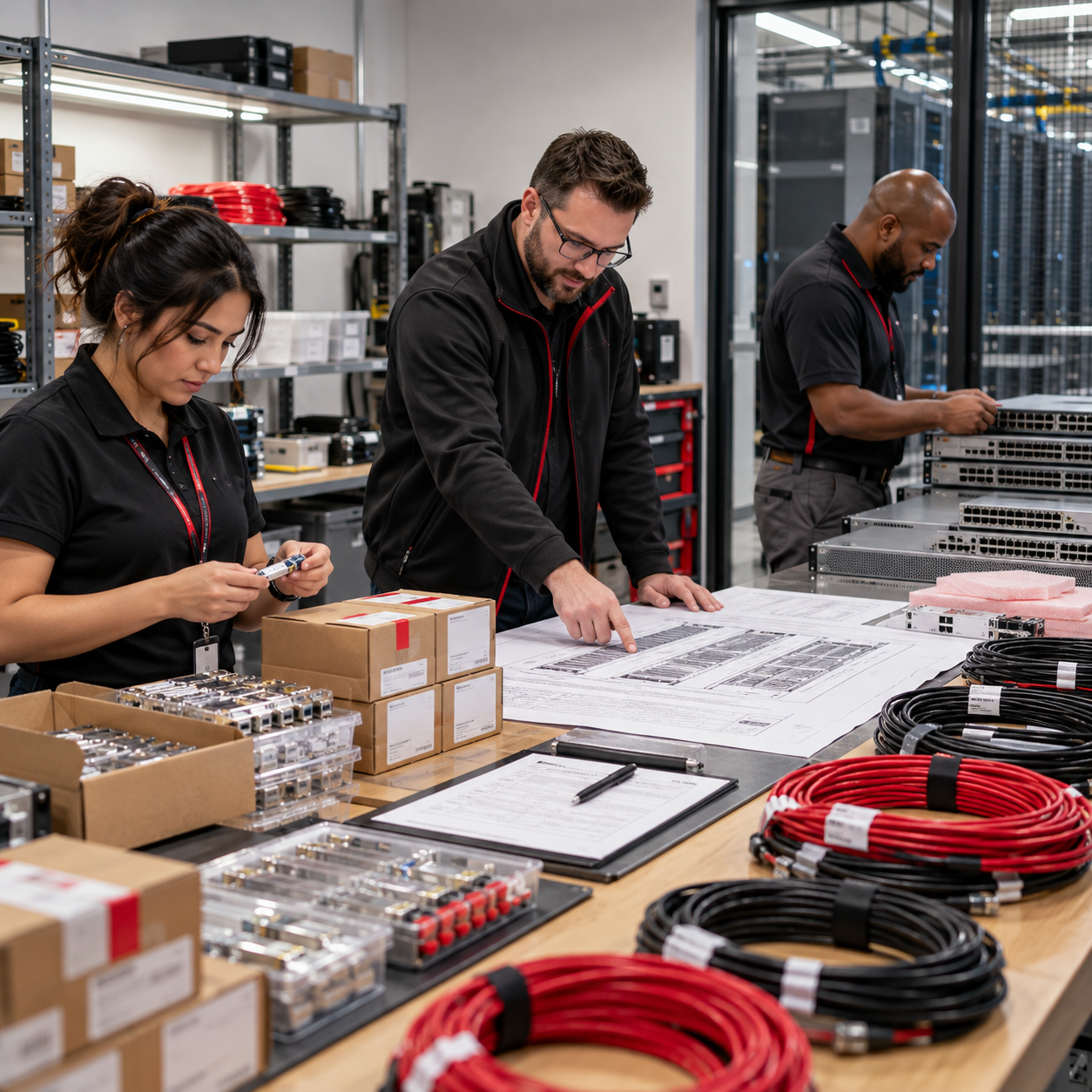
Planning a data center network upgrade starts with assessing existing infrastructure, identifying performance and capacity limitations, and defining a phased implementation strategy. IT teams should evaluate switching, routing, cabling, security, and application dependencies before replacing equipment.
Changing infrastructure requirements are driving these investments. According to Forrester's 2026 Network Research, 38% of enterprise networking decision-makers cited cloud adoption or expansion as a primary reason for purchasing or upgrading their networks within the next 12 months. These projects require careful planning to avoid compatibility issues, unexpected costs, and disruptions to critical services.
This guide covers nine steps to plan a data center network upgrade, from infrastructure assessment and procurement through migration, testing, and operational handover.
When Should You Upgrade Your Data Center Network?
You should consider a data center network upgrade when aging equipment, recurring performance issues, or limited expansion capacity begin affecting critical operations. Other common triggers include unsupported hardware, growing security risks, and infrastructure that cannot reliably accommodate new applications or services.
The decision should be based on documented network conditions and future requirements. Replacing equipment without addressing underlying capacity, architecture, or configuration problems can leave the same operational issues unresolved.
Warning Signs That Justify a Network Upgrade Assessment
These findings help determine whether specific components need replacement or whether the existing network requires a broader redesign.
Planned Modernization vs. Reactive Equipment Replacement
Reactive replacement typically occurs when equipment fails, becomes unsupported, or causes immediate performance problems. These projects often operate under tighter deadlines, leaving less time to evaluate dependencies and long-term requirements.
Planned modernization allows IT teams to assess the entire environment, coordinate equipment changes, and schedule upgrades around operational priorities. It also provides an opportunity to address architectural weaknesses before they cause further disruptions.
For example, replacing an aging core switch may increase available bandwidth and restore manufacturer support. However, shared uplinks or undocumented routing dependencies could continue exposing critical applications to outages. Before approving an upgrade, IT leaders should answer three questions:
-
What needs to change? Identify the specific performance, reliability, or security limitations that require remediation.
-
What can remain in service? Determine which existing components can support the proposed design without creating compatibility or operational risks.
-
How will success be measured? Establish performance targets, recovery requirements, and acceptance criteria before implementation.
These decisions establish a clearer project scope and help organizations prioritize investments based on actual infrastructure needs.
Read More: The Hidden Cost of Treating Network Design and Structured Cabling as Separate Projects
How to Plan a Data Center Network Upgrade in 9 Steps
A data center network upgrade should follow a structured process, from evaluating existing infrastructure to testing the completed deployment. These nine steps help IT teams define requirements, prioritize investments, and manage implementation risks before changes affect production systems.
Step 1. Audit Existing Network Assets and Establish a Baseline
Start by documenting the equipment, connections, and configurations supporting your data center. Inventory switches, routers, firewalls, transceivers, and management systems, including their software versions, licensing, manufacturer support status, and configuration dependencies.
Next, establish a performance baseline using measurements collected during normal and peak operations. Focus on five areas:
-
Utilization: Identify congested interfaces and recurring bandwidth limitations.
-
Connection Health: Review packet errors, drops, and connectivity issues.
-
Application Dependencies: Map critical servers, storage systems, and their network paths.
-
Resilience: Identify single points of failure and existing failover mechanisms.
-
Incident History: Review recurring faults, outages, and configuration-related problems.
Compare your findings against existing topology diagrams. An undocumented connection to an aging aggregation switch, for example, could interrupt a production application when that device is removed.
The assessment should produce an accurate asset inventory, updated network diagrams, baseline measurements, and a prioritized list of risks that need attention.
Step 2. Translate Business Requirements Into Measurable Upgrade Objectives
Define what the upgraded network needs to accomplish before selecting equipment. Work with application owners, security teams, and infrastructure engineers to establish requirements for performance, reliability, recovery, and expansion. Each objective should include a measurable result that can be verified after implementation.
For example, replacing 10 GbE uplinks with 100 GbE connections should be tied to documented traffic requirements. Higher interface speeds alone do not establish whether application performance has improved.
Before Moving Forward: Agree on the project objectives, acceptance criteria, and maintenance restrictions with the relevant stakeholders.
Step 3. Forecast Capacity Needs and Prioritize Investments
Review historical traffic data alongside approved plans for server expansion, virtualization, storage, cloud services, and other workloads.
Separate requirements that need funding now from those that can be accommodated through future expansion. This allows teams to purchase equipment based on realistic demand while preserving room for growth. Consider three planning horizons:
-
Immediate requirements: Address existing congestion, unsupported equipment, and insufficient connectivity for approved projects.
-
Expected growth: Estimate additional ports, uplink bandwidth, and infrastructure needed for planned applications over the next few years.
-
Future expansion: Identify potential requirements that justify reserving rack space, cabling pathways, or switching capacity without purchasing everything upfront.
For example, an organization preparing to add ten servers may need additional high-speed connections immediately. A possible AI deployment several years away might justify reserving physical space and expansion options until its actual requirements are established.
Document your assumptions and establish clear thresholds for future upgrades. The resulting capacity forecast should explain what needs to be purchased, what can wait, and what conditions would trigger another investment.
Read More: Structured Cabling Expansion Planning for Future Growth
Step 4. Evaluate Network Architecture and Equipment Requirements
Determine whether the existing architecture can meet the approved performance and growth requirements. Turn-Key Technologies' Wired Networks Solutions support organizations evaluating switching, routing, and network infrastructure improvements as part of an upgrade.
Targeted upgrades may be sufficient when limitations affect specific devices or connections. A broader redesign may be necessary when the current topology restricts traffic flow, redundancy, or expansion across multiple systems. Evaluate both approaches based on:
-
Technical Fit: Can the design support required application traffic, routing, and segmentation?
-
Compatibility: Will new equipment work with existing firewalls, storage, virtualization, and management platforms?
-
Migration Complexity: How many services and configurations will need to change?
-
Operational Requirements: Can the IT team effectively manage and troubleshoot the proposed environment?
-
Long-Term Cost: What are the licensing, maintenance, and future expansion implications?
Once the architecture is approved, prepare equipment specifications covering interface speeds, port density, optical compatibility, routing capabilities, power requirements, and manufacturer support. The goal is to create an approved design and bill of materials that procurement teams can use to evaluate proposals consistently.
Step 5. Validate Cabling Readiness Before Procurement
Confirm that the existing cable plant can support the proposed equipment before placing final orders. Switching upgrades may require additional fiber connections, different transceivers, updated patching arrangements, or changes to cable pathways. Discovering these limitations during installation can delay the project and increase costs.
A pre-upgrade cabling survey should verify existing connections, link lengths, available fiber strands, connector compatibility, rack layouts, and pathway capacity. Review certification records and physically inspect connections where documentation is incomplete.
Classify the findings into three categories: cabling that can be reused, cabling requiring additional testing, and cabling that must be replaced. Establish acceptance requirements for the installation contractor, including applicable fiber testing, polarity verification, connector inspection, and copper certification.
Read More: Structured Cabling Performance Testing: A Guide for IT Leaders
Before Approving Equipment Orders
Confirm that the network design, cabling assessment, equipment compatibility, capacity forecast, and project budget have been reviewed together. Resolve any outstanding issues that could affect installation or migration. The approved procurement package should include a verified bill of materials, connectivity requirements, and testing specifications.
Step 6. Establish Redundancy and Recovery Requirements
Identify which equipment or connection failures could interrupt critical applications and determine how quickly services must recover.
Start with the organization's recovery objectives. A transaction processing application may require rapid failover, while a development environment could tolerate a longer interruption.
Evaluate switching, routing, uplinks, power dependencies, and physical connectivity to determine whether the proposed design provides adequate resilience.
For each critical failure scenario, document the affected services, expected recovery behavior, acceptable interruption time, and method of validation. Pay particular attention to shared dependencies. Two redundant switches connected through the same upstream device or power source may still be vulnerable to a single failure.
Where alternate paths are required, verify that they can carry the necessary traffic during failover. The completed resilience plan should establish recovery expectations that engineers can test before accepting the upgraded environment.
Read More: Data Center Network Redundancy: 8 Single Points of Failure to Eliminate
Step 7. Plan Security Changes and Migration Dependencies
Where the upgrade affects existing security controls, Turn-Key Technologies' Cybersecurity Services can support the assessment of network security requirements alongside infrastructure changes.
Replacing switches or changing routing behavior may require existing access controls to be recreated or adjusted. Missing policies can interrupt legitimate communication, while incorrect rules may introduce unauthorized access.
Work with security and application owners to identify affected VLANs, VRFs, firewall rules, management connections, and authentication services. Document the required changes and prepare test cases for critical applications. After migration, verify that authorized traffic remains accessible and restricted connections are still blocked.
Any temporary access introduced during implementation should be approved and removed when the migration is complete. For regulated environments, include applicable security and compliance requirements in the validation process.
Expected Outcome: An approved security migration plan with documented policy changes, responsible owners, and post-cutover testing procedures.
Step 8. Develop a Phased Migration and Rollback Strategy
Divide implementation into manageable phases to limit the number of systems exposed to a single change. Begin by staging equipment and validating configurations outside production where feasible. Test the migration approach using lower-risk connections before moving critical applications.
A typical sequence includes preparation, equipment staging, pilot migration, production cutover, validation, and stabilization. Each phase should have defined prerequisites, responsible personnel, and completion criteria.
Prepare for Potential Migration Failures
The rollback plan should explain when implementation must stop, how the previous configuration will be restored, and who is responsible for making that decision.
Before each production cutover, confirm that configuration backups, monitoring tools, application owners, and recovery procedures are available. Set a clear go/no-go checkpoint. If critical prerequisites remain unresolved or recovery cannot be completed within the maintenance window, postpone the affected phase.
An approved migration runbook should document the implementation sequence, rollback triggers, responsibilities, and validation requirements.
Step 9. Complete Acceptance Testing and Operational Handover
Once migration is complete, verify that the upgraded network meets the objectives established during planning. Compare results against the original performance baseline and approved acceptance criteria. Test critical application connectivity, throughput, latency, routing behavior, failover, security controls, and monitoring.
Document any failed tests or outstanding defects and assign responsibility for corrective action. Critical issues should be resolved before formal project acceptance.
Prepare the Network for Ongoing Operations
The handover package should include:
-
Updated Documentation: Logical and physical diagrams, device inventories, port mappings, and cabling records.
-
Technical Records: Final configurations, test results, monitoring settings, and accepted exceptions.
-
Recovery Procedures: Configuration backups, failover instructions, and restoration processes.
-
Support Information: Manufacturer contacts, maintenance requirements, escalation procedures, and assigned responsibilities.
Confirm who will manage firmware updates, configuration changes, network monitoring, and future lifecycle reviews. Organizations that need additional engineering coverage can explore Turn-Key Technologies' Managed Services for ongoing network support, troubleshooting, and infrastructure maintenance.
The project should close only after required testing is complete, operational ownership has been accepted, and the final documentation has been delivered.
Read Next: Structured Cabling Project Documentation: What Your Provider Should Deliver
Data Center Network Upgrade Planning Checklist
Before implementing a data center network upgrade, confirm that the technical design, equipment requirements, migration procedures, and operational responsibilities have been reviewed and approved. Use this checklist to identify outstanding issues that could delay deployment or disrupt critical services.
Before Proceeding: Assign an owner to each planning area and confirm that critical requirements have been satisfied. Network engineering, security, application owners, and facilities teams should review the relevant items together.
Any unresolved issue affecting compatibility, production connectivity, security, or recovery should be addressed before the corresponding implementation phase begins.
Common Data Center Network Upgrade Mistakes to Avoid
Data center network upgrades can encounter problems when equipment decisions, application dependencies, and migration procedures are not fully coordinated. An overlooked fiber connection, incorrect routing configuration, or incomplete rollback plan can delay implementation or interrupt critical services.
Many of these issues can be identified during planning. The following five mistakes deserve particular attention before equipment is purchased or production changes begin:
-
Ordering switches before confirming port speeds and compatibility: Purchasing new switches without verifying uplink requirements, transceiver support, and existing connections can lead to unusable equipment or additional costs. Finalize the technical design and compatibility checks before procurement.
-
Overlooking critical application and routing dependencies: Changing VLANs, default gateways, or routing configurations without mapping affected services can disrupt production applications. Verify traffic paths and involve application owners in pre-migration testing.
-
Assuming existing fiber cabling supports higher speeds: Moving from 10G to 100G connectivity may require different optics, fiber specifications, or connector arrangements. Validate link distances, fiber condition, and optical compatibility before installation.
-
Scheduling cutovers without sufficient rollback time: Allocating the entire maintenance window to equipment migration leaves little room for troubleshooting or recovery. Reserve time for validation, establish rollback triggers, and verify that previous configurations can be restored.
-
Decommissioning old equipment before completing network validation: Follow a defined testing sequence: validate configurations and connectivity before migration, verify application access and routing immediately after cutover, then test performance, security policies, and failover. Monitor the upgraded environment through an agreed stabilization period and obtain formal acceptance before retiring existing equipment.
Avoiding these mistakes requires coordination between network engineers, application owners, security teams, and infrastructure contractors. Each team should understand how its systems will be affected, what must be tested, and who is responsible for resolving issues during implementation.
Before scheduling the final cutover, review outstanding dependencies, confirm rollback readiness, and establish clear acceptance criteria. These checks reduce the risk of unexpected downtime, costly rework, and delays in transitioning the upgraded network into production.
How Much Does a Data Center Network Upgrade Cost?
The cost of a data center network upgrade varies based on equipment requirements, network size, cabling condition, design complexity, and implementation scope. Replacing a few switches within an existing architecture typically requires less investment than a complete redesign involving new fiber connections, routing changes, and application migrations.
Because these variables differ significantly between environments, a reliable budget should be based on an infrastructure assessment and approved technical scope, rather than generic per-switch or per-rack estimates.
What Should Be Included in the Upgrade Budget?
Hardware is only one component of the total project cost. IT teams should account for engineering, physical infrastructure, deployment, and ongoing support.
Request itemized estimates that distinguish confirmed requirements from optional equipment and future expansion costs. This makes it easier to identify scope changes and compare proposals from different vendors.
Evaluate Total Cost of Ownership Before Making a Decision
The lowest initial purchase price may not produce the lowest long-term cost. Total cost of ownership (TCO) should include equipment, installation, licensing, maintenance, energy consumption, support contracts, and anticipated expansion over the evaluation period.
For example, replacing an aging core switch may be more economical than redesigning the network if the existing architecture still meets performance and reliability requirements. However, retaining a topology with recurring congestion or inadequate redundancy could lead to additional upgrades and operational costs.
When comparing upgrade options, consider three factors:
-
Current costs: Existing maintenance expenses, support limitations, and documented service disruptions.
-
Project investment: Equipment, engineering, migration, testing, and implementation risks.
-
Future costs: Licensing renewals, support requirements, power consumption, and planned capacity expansion.
Use the same evaluation period and assumptions for each option. Any projected savings from improved performance or reduced downtime should be supported by operational data rather than treated as guaranteed returns.
A well-prepared budget should explain what the organization needs to invest, which limitations the upgrade will resolve, and how the proposed design supports future requirements. This gives decision-makers a clearer basis for approving the project and controlling costs during implementation.
Read More: Structured Cabling Upgrade Budget & ROI Planning
Building a Data Center Network Upgrade Plan That Holds Up in Production
A successful data center network upgrade begins with a clear understanding of existing infrastructure limitations and ends with a tested, documented environment that IT teams can confidently support.
Throughout the planning process, technical decisions should reflect actual application requirements, available capacity, and operational risks. This means validating network architecture and cabling compatibility before procurement, defining recovery procedures before migration, and establishing measurable acceptance criteria for the completed deployment.
The most important consideration is how the upgraded network will perform under real operating conditions. Equipment compatibility, application connectivity, security controls, and failover behavior should all be verified before the project is considered complete.
With accurate infrastructure records, a phased implementation strategy, and clear operational ownership, organizations can reduce avoidable disruptions and make future network investments with greater confidence.
Frequently Asked Questions About Data Center Network Upgrades
How long does a data center network upgrade typically take?
A data center network upgrade can take several weeks to several months, depending on project scope, equipment availability, and migration complexity. Build a realistic schedule by identifying equipment lead times, cabling requirements, configuration tasks, and approved maintenance windows. Allocate separate periods for staging, pilot migration, production cutover, and post-upgrade testing. Include contingency time for troubleshooting and rollback, particularly when critical applications must remain available.
How should a data center network upgrade support hybrid cloud environments?
Start by mapping application traffic between on-premises infrastructure and public cloud services. Measure bandwidth usage, latency, and peak data transfer requirements to identify connectivity limitations. Review routing configurations, security policies, and existing cloud connections to determine whether additional capacity or dedicated connectivity is necessary. Before deployment, test critical application communication across both environments and confirm that access controls remain effective.
How can organizations improve data center scalability without overinvesting?
Forecast data center capacity using current utilization, approved application projects, and anticipated compute and storage growth. Select scalable switches with suitable port density, uplink capacity, and modular expansion options. Reserve adequate rack space and cabling pathways for future installations, but prioritize immediate purchases around confirmed requirements. Establish utilization thresholds that trigger capacity reviews and additional investments before existing connections become congested.
What role do SLAs play in data center network upgrade planning?
Review existing service-level agreements (SLAs) to identify applicable availability commitments, recovery expectations, and support response times. Translate these requirements into measurable network acceptance criteria, including failover behavior, service restoration, and monitoring coverage. Confirm that maintenance windows and migration procedures align with contractual obligations. Assign responsibility for incident response and escalation, then validate recovery procedures before approving the upgraded environment for production.
How can strategic network planning accelerate future infrastructure upgrades?
Maintain an accurate inventory of network equipment, software versions, support expiration dates, and available connectivity. Conduct regular capacity assessments to identify emerging performance limitations and upcoming replacement requirements. Standardize network configurations, document physical connections, and establish a lifecycle review schedule. These practices help IT teams evaluate new application requirements, integrate additional compute resources, and deploy infrastructure improvements more efficiently without repeating extensive discovery work for every project.